
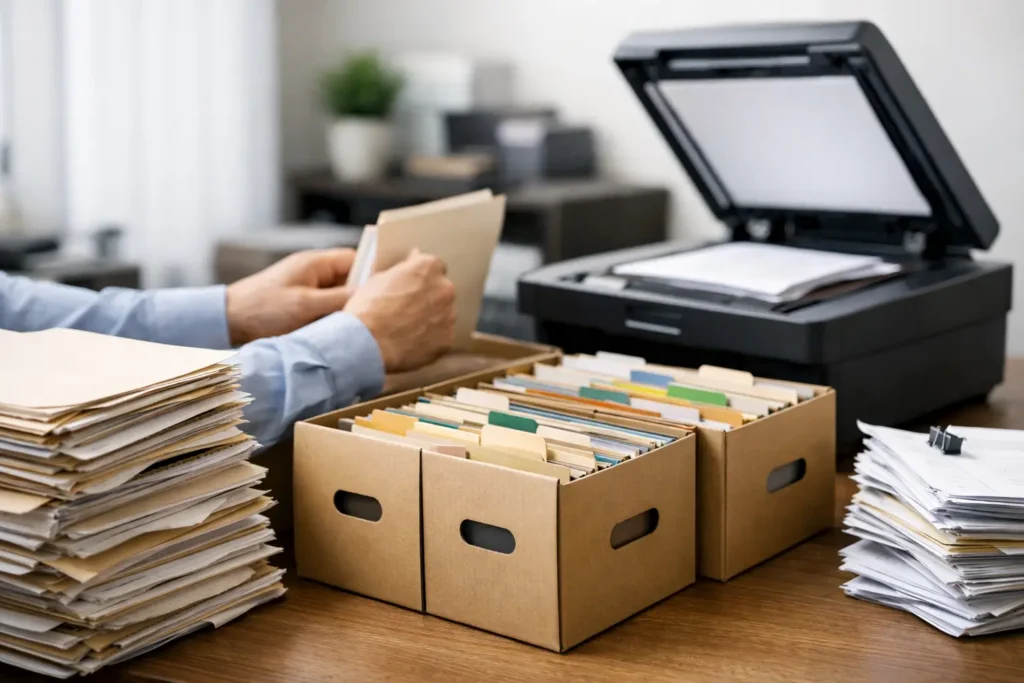
A scanning project can go off course before the first page reaches the scanner. A few mixed folders, unlabeled boxes, or missing attachments can create hours of rework later. To organize paper archives for scanning effectively, start by treating the archive as a records project, not simply a stack of paper that needs to be converted into PDFs.
The goal is not just to create digital files. It is to create files people can find, trust, share securely, and use when a deadline is tight. That requires a clear plan for file order, naming, preparation, quality control, and handling of the original records.
Start With the Purpose of the Digital Archive
Before anyone removes staples or groups documents into batches, identify what the scanned archive needs to accomplish. An office converting inactive HR files may need a different structure than a law firm preparing discovery records, a healthcare administrator digitizing patient charts, or an engineering firm preserving oversized project plans.
Ask who will need the files, what they will search for, and what information must be visible at a glance. If employees will retrieve records by client name and date, that should drive the indexing plan. If legal staff need to cite production numbers or preserve chronological order, the scan workflow must protect that order from intake through delivery. For medical records, patient identifiers, date ranges, and document types may be essential fields.
This step also defines what not to scan. Duplicate copies, blank separator sheets, outdated forms, and non-record materials can add unnecessary cost and make the finished archive harder to navigate. Be careful, though. In legal, regulatory, financial, and healthcare environments, a page that looks unimportant may be part of a complete record. Establish disposal rules with the people responsible for retention before removing anything.
Inventory the Archive Before You Touch It
A quick inventory prevents surprises after the project has begun. Count boxes, drawers, binders, and file cabinets. Note approximate page volumes, paper sizes, fragile records, color documents, photographs, thermal paper, blueprints, and documents with tabs or attachments.
You do not need a page-by-page count to begin planning. A practical box-level inventory is usually enough to identify the scope, priorities, and special handling needs. Label each container with a unique box or container number, then record its department, date range, document category, and current location.
For large archives, divide the work into manageable groups. You might start with files that are accessed often, records needed for an upcoming move, or documents approaching a retention deadline. This phased approach gets useful records into circulation faster and lets the team refine the workflow before the full archive is processed.
Build a File Structure That Makes Sense After Scanning
Paper files often carry their own informal logic. A folder may be recognized by handwriting, tab color, or where it sits in a cabinet. Those visual cues disappear once the documents become digital, so the digital file structure must replace them.
Decide whether each paper folder becomes one PDF, several PDFs divided by document type, or a set of individual files. One searchable PDF per client file can be practical for compact records. Large case files, multi-year medical charts, and technical project files may be easier to use when divided into logical sections.
Use a consistent naming convention from the start. A useful name typically includes a stable identifier, a document category, and a date when relevant. For example, a project record might follow this pattern: Project Number_Document Type_YYYY-MM-DD. Avoid vague names such as “scan001” or “miscellaneous,” which force staff to open files just to learn what they contain.
If the archive will be imported into a document-management system, confirm its naming rules, metadata fields, and folder limits before scanning begins. A technically sound PDF can still create problems if it cannot be imported or searched in the destination system.
Preserve the Original Order When It Matters
Original order is especially important for litigation files, personnel records, investigations, and regulated documents. Keep folders together, scan pages in sequence, and use separator sheets or cover sheets to mark boundaries between files. When a document has an attachment, exhibit, envelope, or note that provides context, make sure that relationship is preserved in the digital version.
Do not assume every archive needs the same treatment. For a routine office archive, reorganizing by customer number may improve retrieval. For evidentiary material, changing the organization may create risk. The right approach depends on the records and how they may be used.
Prepare Paper Carefully, Not Aggressively
Document preparation is where speed and accuracy must work together. Removing staples, paper clips, sticky notes, binder clips, and rubber bands helps pages feed reliably. Straightening folds, repairing torn pages, and separating oversized sheets also reduce the chance of jams and missed images.
At the same time, preparation should never destroy context. Sticky notes may contain instructions or dates. Folders may show a matter number. Stapled packets may indicate a single, complete record. Capture meaningful labels and notes, and use a documented process for retaining them with the correct file.
For high-volume projects, preparation staff should flag exceptions rather than make individual judgment calls on the spot. Common exceptions include damaged pages, handwritten notes, photographs, foldouts, small receipts, confidential items, and documents that need color scanning. A clear exception process keeps work moving while ensuring the project manager can make consistent decisions.
Set Scanning Standards Before Production Begins
Scanning settings should reflect how the files will be used. Black-and-white scanning may be appropriate for routine text records, while color is often necessary when highlights, signatures, stamps, charts, markup, or color-coded plans carry meaning. Grayscale can be a practical middle ground for certain documents, but it should be selected intentionally.
Resolution matters as well. Standard business records may scan well at 300 dpi, while fine print, detailed graphics, photographs, or engineering documents can require a different approach. Oversized materials need specialized equipment and handling so important details are not reduced, cropped, or distorted.
Searchable text is another key decision. Optical character recognition, or OCR, allows users to search scanned documents for names, dates, and keywords. OCR is valuable, but it is not perfect. Poor originals, handwriting, faint type, and unusual layouts can reduce accuracy. For documents that must be located by specific fields, indexing and quality review remain essential.
Use Quality Control at More Than One Point
A completed scan is not automatically a complete digital record. Quality control should confirm that pages are legible, properly oriented, complete, and assigned to the right file. It should also verify that document boundaries, filenames, and indexed fields match the project instructions.
For sensitive or high-stakes archives, build quality checks into the workflow instead of leaving them until the end. A production review can catch feeder issues and blank pages during scanning. A second review can compare the finished files to the box inventory and confirm that each container has been accounted for.
Keep a chain-of-custody record when files are confidential, legally significant, or moving between locations. Document who released the boxes, when they were received, where they were stored, and when they were returned or securely destroyed according to the approved retention plan. This level of accountability is particularly useful for legal, healthcare, and financial records.
Decide What Your Team Should Handle Internally
Small, uniform batches may be manageable in-house if staff have the time, equipment, and a clear indexing plan. The calculation changes quickly when boxes contain mixed paper sizes, fragile documents, confidential information, or thousands of pages that must be finished by a specific date.
A professional scanning partner can provide secure intake, high-volume production, specialized handling for oversized and microform records, searchable PDFs, indexing, and documented quality controls. For Houston organizations facing an office move, litigation deadline, records conversion, or disaster-recovery effort, local pickup, delivery, and accountable project oversight can remove a major coordination burden.
The Document Group works with organizations that need that hands-on support, including projects where scanning must fit alongside printing, litigation copying, trial preparation, or large-format document production. The best results come from agreeing on instructions before the first box leaves your office, not after files have already been created.
Start with one representative box if the archive is complicated. It will reveal the naming questions, exception types, and handling requirements that a simple estimate cannot. Once that sample workflow is right, the remaining paper can move from crowded storage to a digital archive your team can actually use.