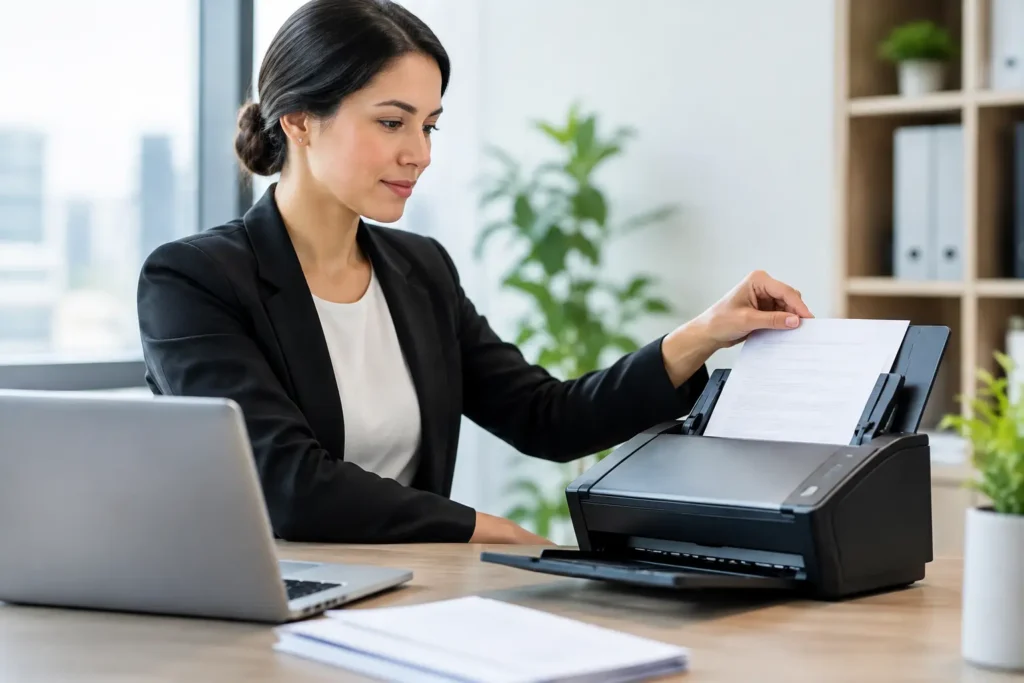
A file room can become a problem long before it runs out of space. The real pressure starts when someone needs a contract, medical chart, engineering plan, or discovery document immediately and the answer is, “We’ll have to look for it.” Document scanning replaces that uncertainty with organized, accessible files, but only when the project is planned around how your team actually works.
For Houston organizations managing high volumes, scanning is not simply feeding paper through a machine. It is a records-management project with decisions about document preparation, image quality, indexing, security, file formats, and delivery. Getting those details right protects the usefulness of your information long after the boxes are gone.
Start Document Scanning With the End Use
The best scanning projects begin with a practical question: what does your team need to do with these records once they are digital? A legal team may need searchable PDFs organized by matter number, custodian, and production set. A healthcare administrator may need patient records indexed by patient name, date of birth, and record type. An engineering firm may need oversize plans captured at a resolution that preserves dimensions, annotations, and revision notes.
That end use determines the scanning specifications. A simple archive may only require legible PDFs and folder-level organization. Active records used every day may require OCR, detailed indexing, standardized file names, and delivery into an existing document-management system. Asking for the lowest-cost scan without defining retrieval needs can create a digital archive that is just as difficult to search as a warehouse of paper.
Before sending documents out, identify which records are active, which are retained for compliance, and which are appropriate for secure destruction after quality review. This helps control costs and prevents teams from digitizing material that no longer needs to be kept.
Preparation Determines Speed and Accuracy
Paper arrives in the real world, not in perfect stacks. Files may contain staples, sticky notes, folded pages, mixed sizes, faded originals, photographs, tabbed sections, or handwritten notes. Preparation is where a professional scanning workflow earns its value.
A reliable provider reviews the materials and sets clear handling rules before production begins. For example, sticky notes may need to be scanned in place or captured as separate pages. Tabs may need to become bookmarks. Double-sided documents may need blank-page removal, but only after confirming that apparently blank pages do not contain faint notes, stamps, or bleed-through relevant to the record.
This step is especially critical for legal, medical, and financial files. A missing page or misfiled record is more than an inconvenience. It can interrupt review, create unnecessary rework, or raise questions about the completeness of the record.
Decide What to Scan and How to Name It
Naming conventions should be agreed on before the first box is processed. A consistent file name such as “ClientName_MatterNumber_RecordType_YYYY-MM-DD” can make a large archive far easier to manage. The exact format depends on the organization, but consistency matters more than complexity.
Index fields should be useful, not excessive. Capturing a few fields that employees will actually search is often more valuable than spending time on a long index no one uses. For a litigation matter, that might include case number, document date, document type, and bates range. For employee files, it may be employee ID, department, and file category.
Image Quality Is a Business Requirement
Not every page needs the same treatment. Standard black-and-white office records can often be scanned efficiently, while color-coded financial reports, marked-up plans, photographs, and evidentiary exhibits may require color capture. Oversize documents need equipment designed to scan plans and graphics without reducing important detail.
Resolution also matters. Higher resolution can preserve fine print and engineering detail, but it increases file size and processing time. The right setting depends on the source document and how it will be used. The goal is not to create the largest possible file. It is to create a legible, dependable digital record that works in the systems your team uses.
OCR, or optical character recognition, is another meaningful choice. OCR makes typed text searchable within a PDF, which can substantially reduce time spent locating names, dates, clauses, and references. It is highly useful for business archives, medical records, and document review, but it is not perfect. Poor originals, handwriting, stamps, and low-contrast pages can affect recognition. Quality control should include confirming that files are readable and that the expected searchability has been applied.
Security Should Follow the Documents
Confidential records need a clear chain of custody from pickup through final delivery. That is particularly true for litigation files, protected health information, personnel records, and business documents containing financial or proprietary information.
A sound scanning process includes documented intake, controlled handling, secure storage while materials are in production, and an agreed delivery method for the digital files. Your team should know who can access the files, where they will be stored, and how long the scanning provider will retain copies after the project is complete.
For sensitive projects, ask direct operational questions. How are boxes labeled and tracked? Who handles the records? How are exceptions recorded? What happens if a page is damaged, missing, or unreadable? A capable provider will have straightforward answers and will not treat security as an afterthought.
Build Quality Control Into the Workflow
Quality control is not one final glance at a folder of PDFs. It should be built into the production process. Documents must be checked for image clarity, page order, completeness, correct orientation, indexing accuracy, and file delivery. The appropriate level of review depends on the risk of the records and the project’s purpose.
For a high-volume archive, statistical sampling may be appropriate when paired with clear production standards. For a litigation production, medical-record request, or other high-stakes matter, more detailed review may be necessary. The trade-off is straightforward: more intensive verification takes time, but discovering errors after originals have been returned, stored, or destroyed costs more.
Exception handling deserves attention as well. Torn pages, unusual sizes, photographs, bound materials, and illegible originals should not disappear into a generic workflow. They should be flagged, documented, and handled according to instructions. This is one reason account-manager oversight is valuable on complex jobs: someone is responsible for resolving the unusual cases rather than allowing them to delay the entire project.
Plan for Delivery, Access, and Retention
A scanning project is only successful when files reach the people who need them in a usable format. Depending on your workflow, delivery may involve encrypted media, secure file transfer, a hosted review platform, or loading files into an internal repository. The best option depends on file volume, access permissions, IT policies, and urgency.
Think beyond the initial handoff. Determine who owns the files, where the master copies will live, and whether a backup is required. If scanned records will support litigation or regulatory needs, preserve the structure and metadata needed to demonstrate what was received and how it was processed. If the files are daily operational records, make access simple enough that employees will use the digital archive instead of recreating paper workarounds.
The original paper also needs a retention decision. Some organizations keep it for a defined period after approval. Others return it to active storage, archive it off-site, or arrange secure destruction once the scanned files pass quality review. That decision should be based on legal, regulatory, and operational requirements, not just a desire to clear storage space quickly.
When a Local Production Partner Makes the Difference
Large scanning projects often compete with daily business demands. Boxes need to be picked up, deadlines shift, a priority subset may need to be processed first, and someone needs a clear answer when questions arise. A local provider can be especially helpful when materials are time-sensitive, confidential, or difficult to transport.
The Document Group supports business, legal, medical, technical, and disaster-recovery scanning with hands-on project coordination, quality checks, and pickup and delivery options. That matters when a project includes more than standard paper files, such as microfilm, microfiche, oversize plans, trial materials, or records needed quickly for review.
The right first step is not to guess at a per-box price. Gather a representative sample, define the records you need first, and explain how your team will search and use the files. With that information, a scanning plan can turn a paper backlog into working information without creating a new digital problem.