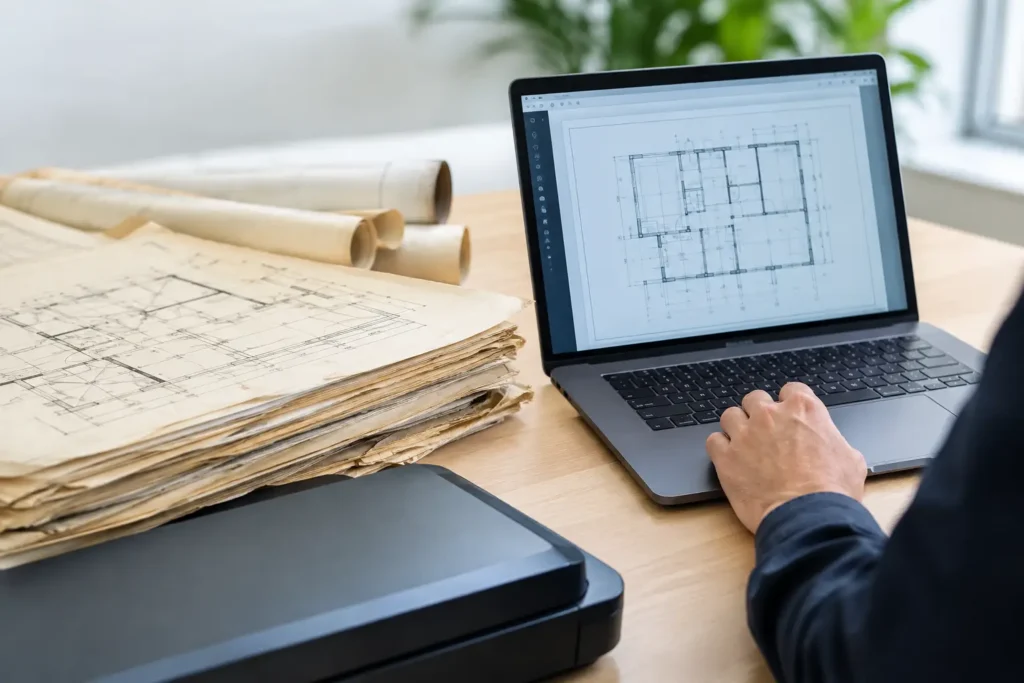
A set of aging construction plans can look manageable until someone needs one detail from a 1998 revision by tomorrow morning. Then the real cost of paper archives becomes clear: slow searches, fragile originals, duplicate versions, and time spent moving tubes and flat files instead of moving work forward.
To convert legacy drawings into files successfully, the goal is not simply to scan paper. It is to create accurate, usable digital records that your team can find, share, review, and protect without losing the detail that makes technical drawings valuable.
Why Convert Legacy Drawings into Files?
Legacy drawings often contain information that has never been recreated in a current system. They may document building modifications, utility routes, equipment layouts, prior tenant improvements, civil work, or as-built conditions that affect a new project. When those records exist only on paper, access depends on where they are stored and who knows how to locate them.
Digital conversion gives engineering firms, facilities teams, contractors, property managers, and legal teams a more reliable way to work with those records. A properly scanned and indexed drawing can be retrieved in seconds rather than pulled from a tube, copied for a meeting, and returned to storage later.
It also reduces the risk tied to the originals. Wide-format plans can tear at folds, fade from exposure, or become damaged by water, smoke, and routine handling. Scanning creates a working copy while preserving the original drawing for retention requirements or archival purposes.
For Houston-area organizations managing active construction, industrial facilities, real estate portfolios, or long-running infrastructure records, this can free up valuable storage space while making historical information more practical for daily use.
Start With the Drawings, Not the Scanner
The best conversion projects begin with an inventory. Before scanning starts, determine what you have, what condition it is in, and how the resulting files will be used. A stack of 8.5-by-11-inch specification sheets requires a different approach from several thousand oversized blueprints, sepias, vellums, maps, and mylar drawings.
Identify the drawing types, typical sizes, date ranges, and departments that rely on them. It also helps to separate documents that need to remain grouped together, such as complete plan sets, from individual sheets that should be searchable on their own.
This early review is where practical decisions get made. Do users need a faithful archival image, a smaller PDF for routine reference, or a CAD-ready file for future edits? Those are not interchangeable deliverables. A scanned PDF preserves the visual record. Converting a drawing into editable CAD data is a separate, more involved process that may require manual drafting or vector conversion and quality review.
Choose File Formats Based on How the Drawings Will Be Used
PDF is often the most useful format for accessing legacy plans. It is easy to distribute, view, print, and store, and it can keep multipage sets together in a single file. For engineering and construction archives, a high-resolution PDF provides a dependable reference copy without requiring every user to have specialized design software.
TIFF files are also common for archival imaging because they preserve high image quality and are widely accepted in records-management workflows. They can be appropriate where image fidelity and long-term retention matter more than convenience for everyday sharing.
If the purpose is to revise, measure, or incorporate older plans into a current design workflow, DWG or DXF output may be requested. That route needs careful expectations. Raster scans do not become accurate, clean CAD files just because they are saved with a CAD extension. Line quality, handwritten markups, distorted originals, and faded text can all affect conversion results. For critical design work, human review is essential.
Scan Settings That Preserve Useful Detail
Oversized technical documents need scan settings that match the information on the page. A low-resolution scan may look acceptable when viewed at full-page size, but fine dimensions, notes, symbols, and hatch patterns can become unreadable when a user zooms in.
Black-and-white plans with crisp linework may scan well in bitonal mode, which creates compact files and clear lines. Grayscale can be better for faded blueprints, pencil annotations, and documents with uneven contrast. Color scanning is worth considering when color-coded utilities, highlighted revisions, stamps, or markups carry meaning.
Resolution also depends on the drawing. A basic reference image may require less detail than a plan containing dense mechanical schedules or small handwritten notes. Higher resolution supports better legibility, but it also creates larger files and longer processing times. The right setting balances usability, storage needs, and the importance of the record.
A quality-control review should check more than whether every sheet was scanned. It should verify that edges are captured, orientation is correct, text is legible, file names match the documents, and no pages were skipped or duplicated. Those details determine whether a digital archive actually saves time later.
Build an Index People Can Actually Search
A folder full of files named “Scan001.pdf” through “Scan500.pdf” is digital storage, not a useful archive. Indexing is what turns scanned drawings into accessible records.
For most plan archives, a practical naming and indexing structure includes the project or property name, drawing number, discipline, sheet title, revision date, and, when applicable, building or location. A civil site plan might need different metadata than a hospital-floor renovation set. The point is not to collect every possible field. It is to capture the information your team uses when searching.
Consistency matters more than complexity. If one file is labeled “Electrical,” another “Elec,” and another “E,” searches become less reliable. Establish naming rules before the project begins, then apply them uniformly across the archive.
For larger collections, a searchable index or load file can provide an added layer of control. This is especially helpful for records tied to litigation, regulatory compliance, property transactions, or long-term facilities management. Document-level tracking can show what was received, scanned, indexed, and returned.
Protect Originals and Sensitive Information
Legacy drawings can contain sensitive details, including security layouts, utility infrastructure, patient-care spaces, proprietary processes, or client project information. The conversion workflow should reflect that risk.
Use controlled handling from pickup through delivery. Originals should be tracked, boxed or rolled appropriately, and returned in the same order when required. Access to digital files should be managed according to the organization’s internal policies, particularly when records are connected to active legal matters, healthcare operations, or restricted facilities.
Disaster recovery is another reason to digitize. If archives are stored in a single office, warehouse, or job trailer, one flood, fire, or burst pipe can permanently remove information that cannot be recreated. Digital files should still be backed up and managed responsibly, but they give organizations a much stronger recovery position than one physical set of plans.
When Outsourcing Makes More Sense
A small collection of standard-size documents may be manageable in-house. Large-format drawings are different. They require equipment that can capture wide sheets without damaging them, as well as staff time for preparation, scanning, indexing, quality control, and file delivery.
Outsourcing is often the better choice when the archive includes thousands of sheets, fragile originals, mixed media, tight deadlines, or confidentiality requirements. It is also valuable when an internal team needs to stay focused on design, operations, case preparation, or project delivery rather than document production.
The Document Group manages wide-format scanning and document-conversion projects with account-level oversight, quality control, and local pickup and delivery options for organizations that need a clear chain of responsibility. The right partner should be willing to discuss file formats, naming conventions, delivery methods, original-document handling, and a realistic schedule before work begins.
A Better Archive Starts With a Clear Use Case
The question is not whether every old drawing needs to be digitized at the highest possible specification. It is which records create the most value when they become easy to find. Start with active properties, frequently requested plan sets, at-risk originals, or records needed for an upcoming renovation, dispute, audit, or transaction.
Once those files are organized and searchable, the paper archive stops being a daily obstacle and becomes a controlled record. That gives your team more room to work, faster access to the details that matter, and fewer surprises when an old drawing suddenly becomes the most important document in the room.