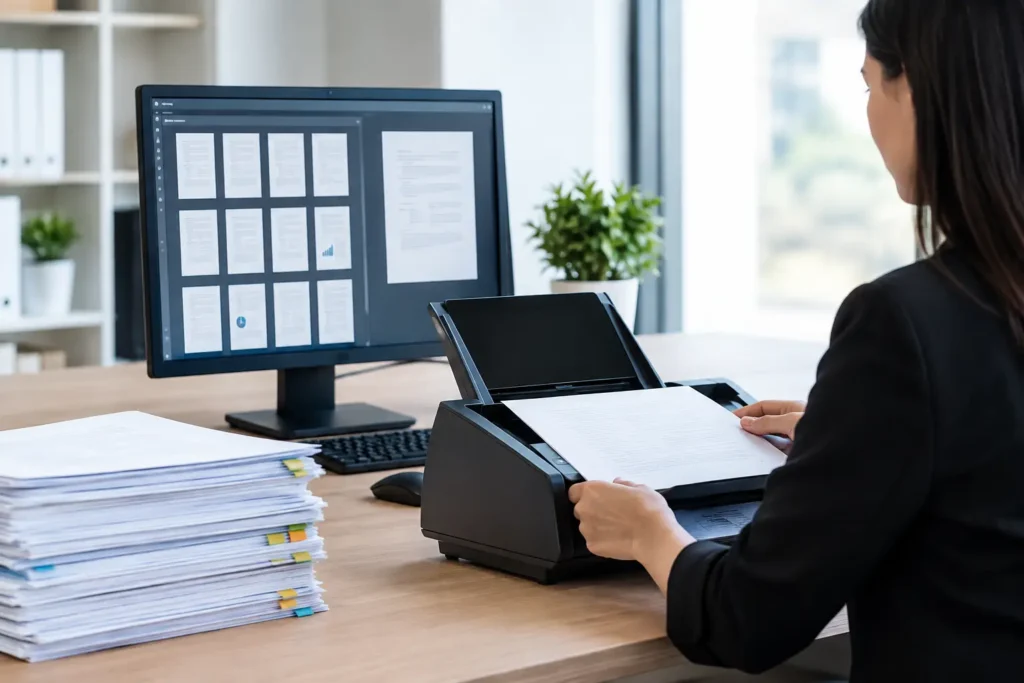
A box of files is manageable. Fifty boxes, a looming deadline, and several people who need different records is a workflow problem. Effective bulk scanning workflows turn large paper archives into usable digital files without losing pages, mislabeling records, or creating a new organizational headache after the scanning is complete.
For legal teams, healthcare administrators, engineering firms, and busy operations departments, the goal is not simply to convert paper into PDFs. The goal is to make information easier to find, safer to share, and ready when a project, audit, case, or customer request demands it.
Start Bulk Scanning Workflows With the End Use
The fastest scanning project is not always the one with the highest page-per-minute speed. It is the one planned around how the files will be used after delivery. A records-retention project has different requirements than litigation discovery, medical-record conversion, or a drawing archive needed by a field team.
Before documents are packed or picked up, define who needs access, what they need to find, and what system will receive the files. That determines the file format, indexing approach, image quality, security controls, and delivery method.
For example, an office may only need searchable PDFs organized by department and year. A legal matter may require more detailed coding, consistent Bates labeling, document-level separation, and a production format that works with a review platform. Engineering records may need oversized scanning, color capture, and filenames that preserve project numbers and sheet references.
Getting these decisions right at the beginning avoids a common and costly problem: completing a large scanning project, then realizing the digital archive cannot be searched or sorted in the way the team actually works.
Decide What a File Represents
This is one of the most useful early decisions. Is one PDF a full client file, a single invoice, one medical encounter, or one engineering drawing? There is no universal answer. The right choice depends on retrieval needs and the level of detail required for indexing.
Larger files can reduce handling time and simplify delivery. Smaller document-level files make individual records easier to locate and route. A practical workflow balances the time required to prepare and index documents against the value of more precise access later.
Build a Clear Chain of Custody
High-volume scanning begins before the first page reaches a scanner. When records are confidential, regulated, privileged, or simply essential to business operations, every handoff should be documented.
A strong intake process records the number of boxes, source department, pickup date, project contact, and any special handling instructions. Boxes should be labeled consistently, and their order should be preserved. This matters when a team needs to confirm that all files were received or when an original must be retrieved later.
For legal, healthcare, and financial records, secure transport and controlled access are part of the workflow, not add-ons. The same is true for disaster-recovery scanning, where damaged or time-sensitive materials may need priority handling and careful condition review.
At The Document Group, project oversight starts with understanding the scope, timeline, and delivery requirements so customers have a clear point of contact rather than a stack of boxes disappearing into an unknown process.
Prepare Documents Without Creating Delays
Document preparation is often where the real labor sits. Staples, paper clips, sticky notes, folded pages, mixed paper sizes, duplicate sheets, and torn documents can interrupt production if they are not addressed systematically.
Preparation should be guided by the agreed scanning rules. Some sticky notes contain relevant information and must be captured. Others can be removed after instructions are documented. Some duplicate pages should remain for completeness; others may be eliminated if the client has approved deduplication. The key is consistency, especially when multiple batches are being processed.
Separate items that require different treatment, such as fragile originals, photographs, receipts, bound books, microfilm, microfiche, or oversized plans. Feeding every item through the same high-speed process may save time at first, but it can damage originals or produce images that are difficult to read.
A good production team also uses separator sheets, batch labels, or barcode-based controls when appropriate. These tools help preserve document boundaries and reduce manual sorting after scanning.
Set Standards for Image Quality and Searchability
A scanned image is only useful if it is legible. Poor contrast, clipped edges, skewed pages, blank-page errors, and missed backsides can turn an apparent digital archive into a frustrating one.
Set image specifications before production begins. Black-and-white scanning may be appropriate for clean text records, while color scanning is often necessary when highlights, stamps, annotations, photographs, or color-coded information carry meaning. Resolution should match the material. Standard office records may not need the same settings as detailed maps, architectural plans, or historical documents.
Optical character recognition, or OCR, is equally important for many projects. OCR makes typed text searchable inside a PDF, helping staff find names, dates, project numbers, and key terms without opening every file. It is not perfect, particularly with handwritten notes, poor originals, or unusual fonts. Still, it can dramatically improve the usefulness of a well-scanned archive.
Quality Control Must Be Ongoing
Quality control works best during production, not only at the end. Operators should verify image clarity, page counts, orientation, and document separation as batches move through the workflow. Exceptions need a defined path for rework rather than being set aside without resolution.
Final checks should compare completed files to intake records and approved specifications. Depending on the project, this may include reviewing a statistical sample, validating index fields, confirming OCR output, or reconciling box and batch counts. For high-stakes records, a more intensive review is worth the additional effort.
Make Indexing Useful, Not Overbuilt
Indexing is how a digital archive becomes operational. Common fields include client or patient name, matter number, date range, department, invoice number, project number, and document type. The best fields are the ones employees will actually use when they need a record quickly.
Over-indexing can increase cost and slow production without improving access. Under-indexing leaves users with thousands of files and no practical way to locate what they need. The right level depends on volume, risk, and future use.
For a routine back-file conversion, folder-level organization and descriptive filenames may be enough. For litigation, compliance, or medical records, more detailed indexing may be necessary. Test the proposed structure with a small sample before applying it across a large archive. If a staff member cannot find three sample records quickly, adjust the plan before full production begins.
Plan Delivery, Retention, and Original-Document Return
Delivery should be specified as clearly as scanning. Decide whether files will be provided through secure FTP, encrypted media, a document repository, or another approved transfer method. Confirm folder structure, naming conventions, and permissions before the project is complete.
Original documents also need a plan. Some clients want records returned in their original box order. Others want approved destruction after quality checks and retention requirements are met. For files that must be retained, consider whether relabeling boxes to match the new digital structure will simplify future retrieval.
Do not treat this as an administrative detail. A well-organized return or destruction process closes the chain of custody and prevents a newly digitized project from leaving behind an equally confusing physical archive.
When to Bring in a Scanning Partner
An internal team may be able to handle a small, predictable conversion project. The equation changes when volume is high, staff time is limited, records are confidential, materials are oversized or fragile, or a deadline cannot move. In those situations, a dedicated scanning partner provides production capacity, specialized equipment, quality controls, and accountable project management.
The right partner will ask practical questions about document types, volume, indexing, security, original handling, and delivery – not just quote a price per page. That upfront conversation is where reliable outcomes begin.
A paper archive does not have to remain a space problem or a retrieval problem. With a clear workflow and the right level of oversight, it can become a digital resource your team can use when the pressure is on.