
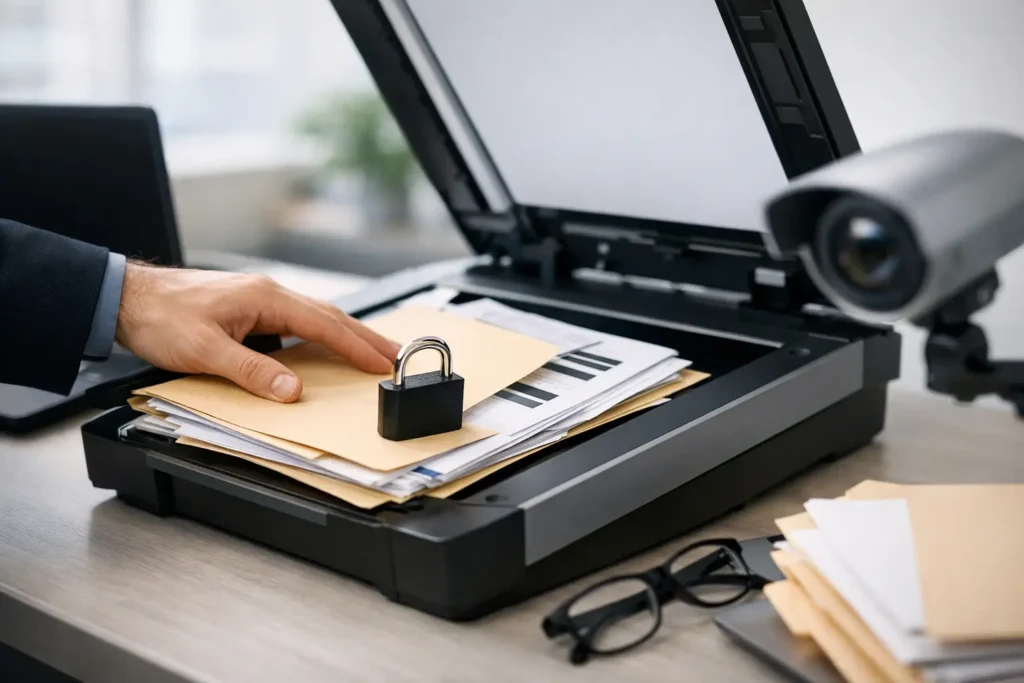
A box of employee files, medical charts, contract archives, or case records is not just a storage problem. It contains information that can create legal, financial, and reputational risk if it is mishandled. To securely scan confidential business records, an organization needs more than a fast scanner. It needs a documented process for custody, access, image quality, file delivery, and the paper documents that remain afterward.
For organizations dealing with large archives or a deadline-driven matter, the right approach makes paper easier to find without making sensitive information easier to expose. The goal is practical: move records into a controlled digital environment while knowing where every file has been and who can access it.
Start With a Records and Risk Assessment
Not every box should be scanned under the same rules. Before a project begins, identify what the records contain, who owns them, how long they must be retained, and what could happen if the information were disclosed or altered. Personnel files, medical records, financial documents, client information, and litigation materials may each carry different privacy, retention, or evidentiary requirements.
This assessment also determines the right scanning specifications. A searchable PDF may be appropriate for routine administrative records. Litigation files may require document-level indexing, Bates numbering, detailed file naming, and a production format agreed upon by counsel. Engineering files can require large-format scanning, accurate scale, and careful handling of plan sets that cannot be replaced.
Define the scope before pickup or preparation begins. Confirm the estimated volume, required turnaround, index fields, desired resolution, color requirements, output format, delivery method, and authorized project contacts. A clear scope prevents a common and costly problem: discovering halfway through a project that the digital files cannot support the workflow they were created for.
Create Chain of Custody From Pickup to Return
Confidential scanning begins before the first page enters a machine. Records should be inventoried by box, file range, department, or another practical unit that allows the organization and scanning provider to reconcile what was received. Each transfer should be logged, including the date, time, sender, recipient, and condition of the materials when appropriate.
For onsite archives, scheduled pickup by trained personnel can be safer than asking staff to transport boxes in personal vehicles or sending sensitive records through ordinary shipping channels. Once materials arrive, they should be kept in a restricted production area rather than an open staging location. Access should be limited to personnel assigned to the project.
Chain of custody is particularly significant for legal, HR, healthcare, and financial records. It is not bureaucracy for its own sake. If a file is questioned later, custody documentation helps establish that the record was received, processed, and returned or destroyed according to an accountable process.
Prepare Documents Without Losing Their Context
Document preparation is where scanning projects can either become orderly or go off track. Staples, paper clips, sticky notes, folded pages, and damaged documents need attention so pages can move safely through high-speed equipment. But preparation should never strip away meaningful context.
A handwritten note, folder label, divider sheet, envelope, or attachment may be part of the record. Establish instructions for how those items should be scanned, indexed, or retained before the project starts. For files with mixed paper sizes, photographs, receipts, or fragile pages, the team may need a combination of high-speed and flatbed scanning.
Use a logical file plan that matches how your staff will retrieve information later. That may mean organizing records by employee ID, client matter number, patient account number, project number, date range, or department. Avoid generic names such as “Scan001.pdf.” A file naming and indexing convention should be specific enough to support retrieval while avoiding unnecessary exposure of personally identifiable information in file names.
Securely Scan Confidential Business Records With Controlled Access
The production environment matters as much as the scanner. Confidential documents should be processed in a controlled area, with project access restricted to trained staff and clear procedures for breaks, shift changes, and end-of-day storage. Printed test pages, misfeeds, and duplicate images must be treated as confidential records too.
Scanning equipment should be maintained and configured to produce consistent images, but speed should not override handling requirements. High-volume scanners are efficient for standard files, while bound books, delicate medical records, oversized drawings, and torn originals may require slower methods. The trade-off is straightforward: a slightly longer production schedule can be the right choice when preserving an original is critical.
Organizations should also clarify whether documents will be scanned at their location or in a secure production facility. Onsite scanning can reduce transportation for particularly sensitive archives, but it requires adequate workspace, equipment access, supervision, and time. Offsite scanning often provides greater production capacity and structured quality controls. The better option depends on the volume, records type, timeline, and security requirements.
Protect Files During Storage and Delivery
A scanned record is only useful if authorized people can access it without creating a new security problem. Digital files should be stored in controlled locations with role-based permissions, strong authentication, and access limited to the people who need the information to do their jobs. Shared logins and broad, permanent access to entire archives create avoidable risk.
Delivery should be agreed upon before production begins. Depending on the project, secure file transfer, encrypted media, controlled portal access, or delivery into a client-managed system may be appropriate. Ordinary email is rarely a good delivery method for a large set of confidential records, both because of security concerns and because it does not provide a dependable way to manage high-volume files.
Consider the destination as carefully as the transfer. If files are placed in a shared drive, confirm who can view, download, edit, or delete them. For litigation and investigations, preserve the original file set and establish clear rules for working copies. For medical or personnel records, verify that permissions align with the organization’s privacy obligations and internal policies.
Build Quality Control Into the Workflow
Security and image quality go together. A scanned archive with missing pages, unreadable handwriting, cropped margins, or incorrect file names can force staff to pull the original documents again, increasing handling and delaying work. Quality control should check for completeness, legibility, correct orientation, file organization, and accurate indexing.
The right review level depends on the records. A large archive of routine invoices may use batch-level verification and exception checks. A legal production, patient file conversion, or regulated records project may need more detailed review at the document or page level. Discuss the acceptable error threshold and correction process upfront rather than assuming every project needs the same inspection method.
Searchable text created through optical character recognition can improve retrieval, but it is not a substitute for the image of record. OCR can misread faint text, handwriting, unusual forms, and poor originals. Retain clear source images and validate important index fields when accuracy affects billing, legal review, patient care, or compliance.
Decide What Happens to the Paper Originals
Scanning does not automatically mean the paper can be destroyed. Some originals have legal, historical, contractual, evidentiary, or operational value that digital copies do not replace. Signed agreements, notarized documents, original plans, medical records subject to specific rules, and materials connected to active litigation may require retention.
Create a written disposition decision for each records category. If originals must be returned, reconcile them against the intake inventory and deliver them back in an organized, documented manner. If authorized destruction is appropriate, use a secure destruction process and retain a certificate or record of destruction according to your policy.
Do not let scanned boxes linger in hallways or unsecured storage while someone decides what to do next. That gap is one of the easiest ways for a well-managed digitization project to lose control of sensitive material.
Choose a Scanning Partner That Can Be Accountable
A scanning provider should be able to explain its process in operational terms: how materials are received, who handles them, how exceptions are documented, how quality is verified, how files are delivered, and how originals are returned or destroyed. General assurances are not enough when the project involves confidential information.
Ask about project oversight, turnaround options, secure pickup and delivery, large-format capabilities, indexing, and experience with your type of records. An office manager clearing decades of HR files has different needs from a legal team preparing discovery or a healthcare administrator converting active charts. The best provider will adapt the workflow without asking your team to manage every production detail.
The Document Group supports high-volume business, legal, and medical scanning with dedicated project oversight, quality-focused production, and local pickup and delivery options for organizations that need a responsive partner.
Before moving a single box, assign one internal owner, approve the file and retention plan, and ask the scanning team to walk you through the chain of custody. That short conversation can protect the records, reduce rework, and give your staff confidence that the paper pile is finally under control.